Skip to content Skip to footer
Brosix Help Library Logo
Menu
  • General
    • Billing
    • Accounts
  • Support
    • Servers
    • Security
  • Tutorials
    • Getting Started Tutorials
    • “How to” Application Tutorials
    • “How to” Enterprise Tutorials
    • Video Tutorials
  • Features
    • Brosix Applications
    • Brosix Enterprise
    • Brosix Integrations
  1. Home
  2. Brosix Applications
  3. Linux
  4. Mac
  5. Windows
  6. How to delete the chat history?

How to delete the chat history?

You can delete the chat history at Brosix -> Settings -> Personal -> Delete History
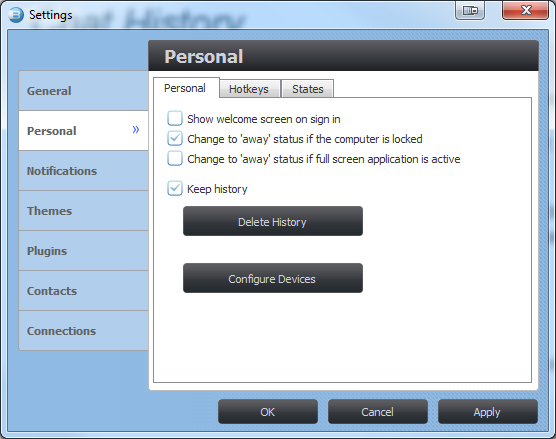
 

Delete History

Brosix Applications Linux Mac Windows

Tagged

chat delete delete chat delete hystory history remove
  • Bluetooth (wireless) headset interrupts
  • How to archive your team’s chat history with Smarsh?
Sidebar

Categories

  • "How to" Application Tutorials
  • "How to" Enterprise Tutorials
  • Accounts
  • Android
  • Billing
  • Brosix Applications
  • Brosix Enterprise
  • General
  • Linux
  • Mac
  • Mobile
  • Security
  • Servers
  • Tutorials
  • Web client
  • Windows

account active directory activity log add user administrator application audio quality auto-recharge automation brosix features chat history chat rooms contacts list different network disable encryption export FAQ file transfer firewall group groups import integrations ldap live chat livechat message notifications order upgrade productivity profile restrict security sound sound quality team collaboration team communication third-party tools video call voice call voice quality voip webhooks workflow automation

© 2025 Brosix Help Library